How I Use ThinkRun to Get the Exact iOS UI I Want From Codex
2026-11-04
Watch the 2-minute version, then use the steps below on your own app.
Watch on YouTubeTo get the exact iOS UI I want from a coding agent, I stop trying to describe it and show it. I screen-record the interaction on my iPhone, say what feels wrong and what I want instead, then upload it to ThinkRun. I review the transcript and screenshots, give Codex the JSON link, and check the result on my phone. Then I repeat it for whatever's left.
I'm building Narrate, an iPhone app for telling the story behind your photos. Most of the details that make it feel right are things I can feel in a second and struggle to write in a sentence. "Make it easier" is true, but it gives an agent almost nothing to work with.
Here's the process, using one real change.
The UI change I couldn't put into a prompt
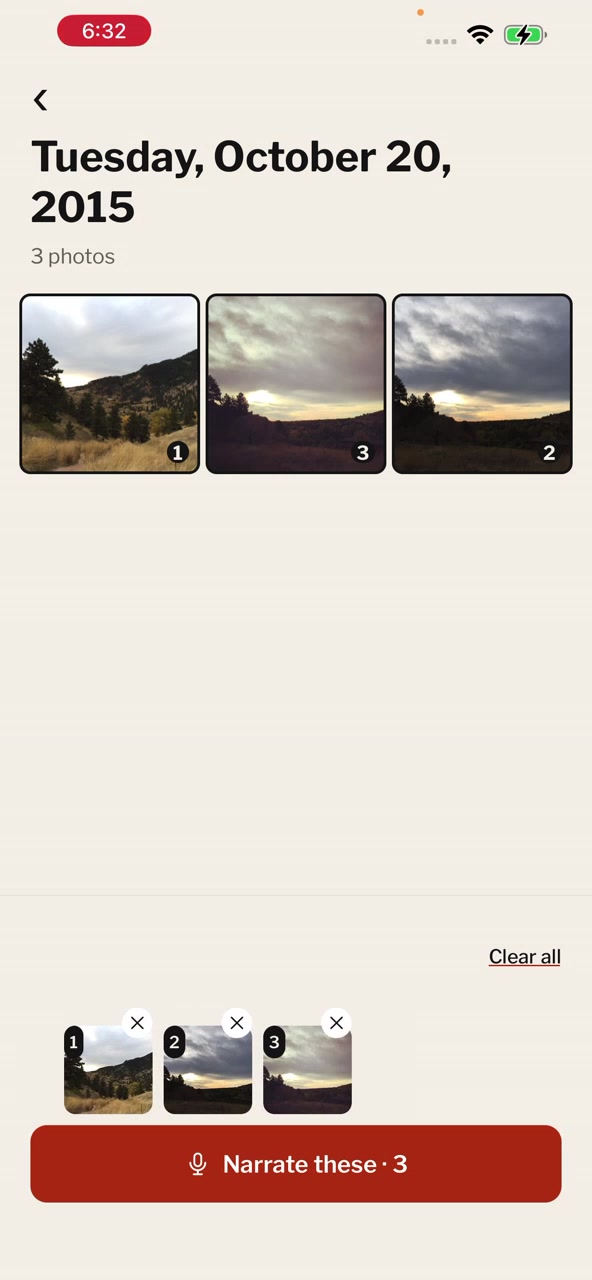
The feature already worked. I could select photos and reorder them. But dragging only seemed to work from a small spot on each photo, and sometimes the whole screen moved instead of the photo.
A screenshot showed the layout, not the problem. The problem only existed while my finger was moving.
Step 1: Record the interaction on your iPhone and talk
Pick one interaction per recording, not a whole screen you'd like redesigned. Then I use the iPhone's built-in screen recording with the microphone on, do the thing that feels wrong, and explain it out loud. I'm not writing a bug report. I'm thinking out loud with my finger on the screen.
Four things are worth saying while you record:
- What you're trying to do: "I'm trying to drag this photo to the end."
- What actually happens: where you touched, what moved, and what didn't.
- What you expected instead: how it should behave.
- The specific changes you want, if you know them.
In my recording I said dragging only worked from "a very specific and small area." Then I asked for what I wanted: more breathing room between the photos, the X further out, a bigger drag area, and an outline showing which photo was moving. That's several changes, but they all belong to one interaction: reordering photos.
Keep what you saw separate from what you think caused it. "The whole screen moved" is an observation. "The gestures are conflicting" is a guess, and an agent may treat it as fact. If you have a theory, say it's a theory.
Don't worry about a clean take. My recording ran 1 minute 48 seconds and has plenty of "kind of" in it.
Step 2: Upload the recording to ThinkRun
In the ThinkRun dashboard, choose Upload a recording and add the video. The upload panel lists MP4, WebM and MOV. ThinkRun processes it into a transcript, timestamped screenshots and an analysis of the key moments.
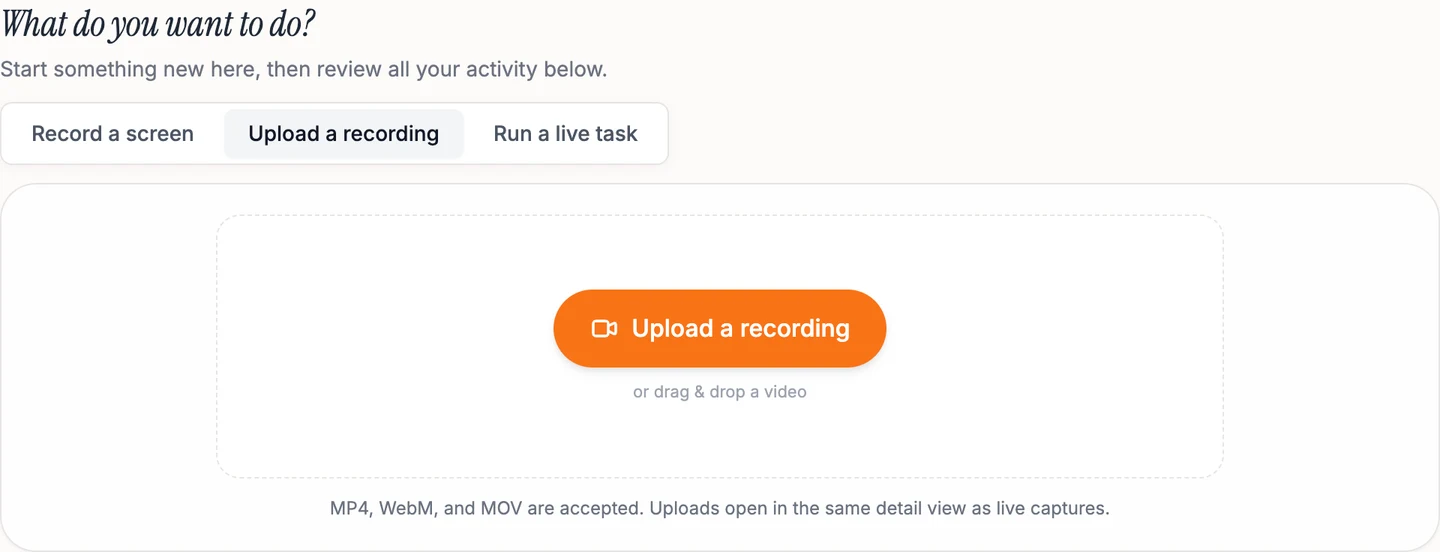
That's what makes the recording usable by an agent. My words and the screen stay connected, so "this spot" has a picture and a time next to it.
Step 3: Review what your agent will see
Before sharing anything, I check the video, transcript and screenshots. I'm looking for two things: whether the moment I care about is there, and whether anything private is showing.
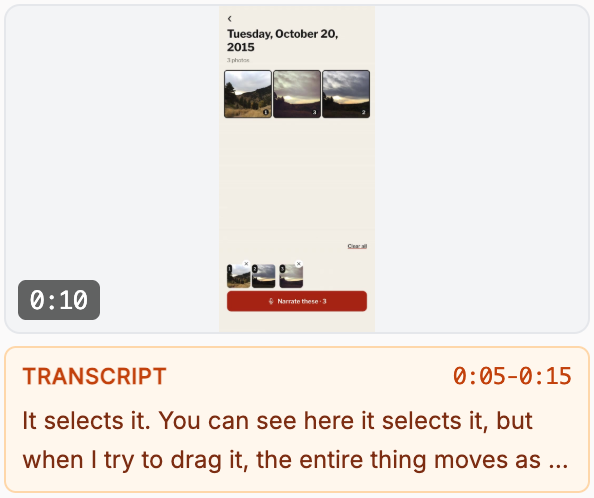
This matters on a phone. Your photos, messages and notifications can all end up in a recording, and in the screenshots taken from it. If something private appears, make a clean recording before you share. Treat the analysis as a helpful summary, and compare it with the actual image.
Step 4: Give your agent the JSON link
Open the recording, choose Share, and copy the JSON link from the For AI & automation section. Your agent needs tools that can retrieve the link and open the images. If it can't, sort that out first.
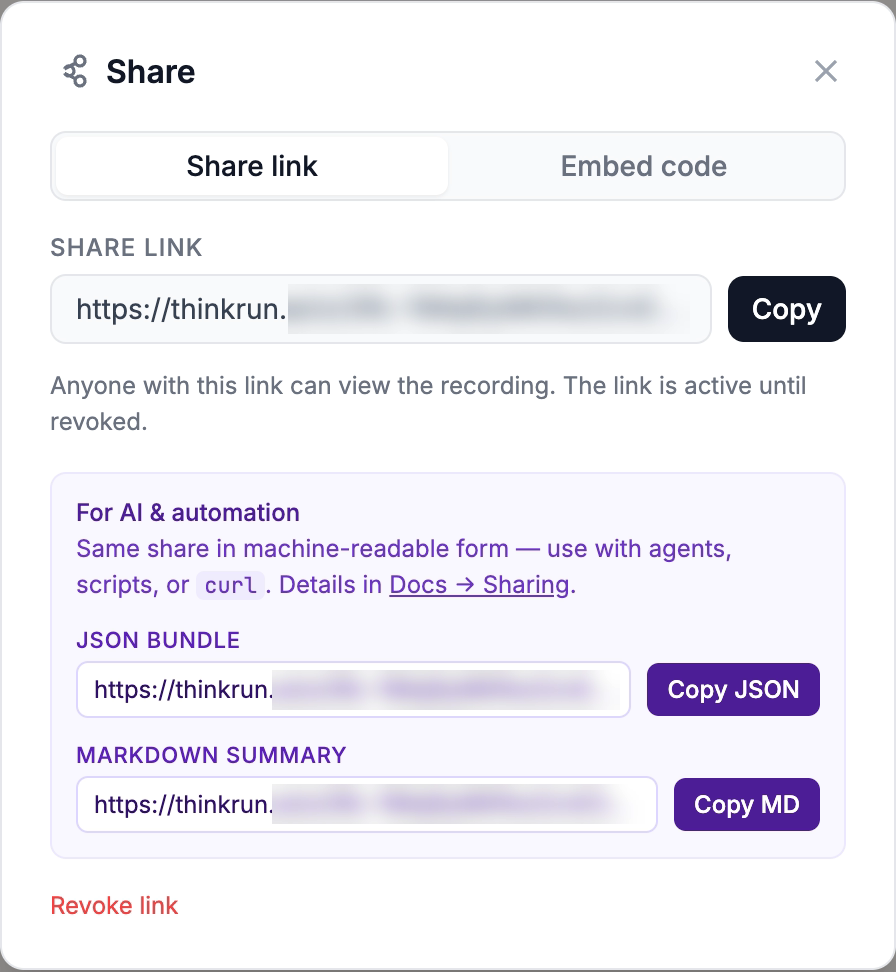
My actual message to Codex was three words plus the link: "here's the feedback." It worked because the recording carried the explanation. For a new task, I'd be more explicit:
Read this ThinkRun recording and inspect the linked screenshots: [paste JSON link here]. I'm explaining how I want this interaction to work. First, tell me what I observed, what I want changed, and which moments show it. Then investigate this project's code and propose the changes. Separate what's visible in the recording from what you're inferring. Don't change any code until I've reviewed your summary. If you can't open any part of the recording, tell me before you continue.
Step 5: Read the agent's plan before it builds
This is where you find out whether it understood you. Codex came back with a list that matched what I'd asked for, plus something I hadn't named as clearly:
The recording shows a problem beyond button placement: at 20 seconds, the whole day screen slides back toward Timeline during a reorder attempt.
That's Codex's interpretation, not a test result. But it's a good sign when an agent cites a specific moment, because you can go and check that moment yourself.
Step 6: Check it on your phone, then go again
The test is the same interaction, on the same device, with the same finger. In the updated build, I could move the photos into a new order, the numbers updated, and I stayed on the same screen.
About 40 minutes after sending the link, I replied "yes it works," and asked for a few more pixels between the selection and the "Narrate these" button. I didn't get the exact UI on the first pass. I got closer because the next round could be specific, and that follow-up only took one sentence.
When I don't use a recording
A recording is overkill for plenty of UI work:
- One state is wrong, like a clipped label or misplaced button: I use a screenshot and one sentence.
- I can name the change exactly: I type it.
- The bug has reliable steps: the agent can often reproduce it in the iOS simulator and check its own fix.
I reach for a recording when the problem is a gesture, a sequence, or just a feeling that something's off. Those are the details that decide whether a mobile UI feels right, and they're the hardest to type.
FAQ
Can I use this with Claude Code or Cursor?
The same kind of handoff can work with any agent that can retrieve the shared text and inspect the linked images. My example used Codex. The Claude Code walkthrough covers that setup.
Does the agent watch the video?
This process doesn't rely on that. ThinkRun gives the agent the transcript, screenshots and timestamps through the link. The sharing docs explain the JSON and Markdown formats.
Do I need the browser extension for an iPhone app?
No. For a phone interaction, record on the phone and upload the video from your dashboard.
Does this work for Android or web apps?
The idea is the same: show the interaction and talk through it. On the web, you can record directly in your browser. I've used this process on an iPhone app, so that's what this guide covers.
Where can I see the full example?
The Narrate case study has my original recording, Codex's response and the updated interaction.
Show your agent the UI you want
Record the interaction and talk through what needs to change. ThinkRun gives your agent a transcript, screenshots and timestamps to work from.